





Team performance
who brought in how many guests
Team performance in Sadakio is a staff leaderboard for cafés. It counts the stamps, rewards and new guests each team member brings in. Your team sees its own ranking, and you give the monthly reward based on data.
Let the team compete,
and guests come back
The numbers already happen at the till. Sadakio totals them per team member.
Counters per team member
Stamps or points given, rewards given and new guests brought in. Every row counts back in time, starting from day one.
Ranking and podium
Choose a day, week or month. The top three stand out, and progress bars show the gap.
Baristas see themselves
When a barista opens it with their own sign-in, their card is highlighted. The till tablet shows the shared table.
No money, no contact details
The screen shows counters only. Revenue, spend amounts and guest phone numbers are not shown.
A personal invite QR
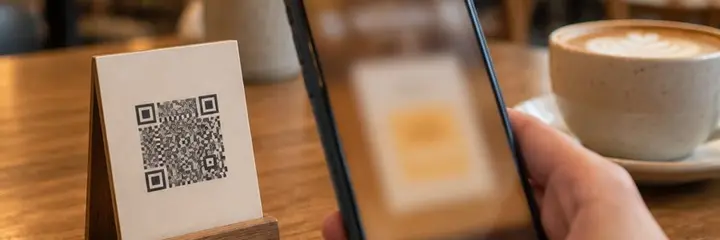
Every team member has their own join QR code. A guest who signs up with that QR is credited to that team member.
Guests who come, not sign-ups
The list of who brought in how many guests counts sign-ups and guests who actually came at least once separately. You give the reward for real guests.
How does team performance work?
Add your team
Add your team members under Settings › Team. Each one gets an invite QR code straight away.
Hand out the QR codes
Team members show their own QR code on the counter or on their phone. They give stamps as usual.
Watch the ranking
See the ranking for the day, week and month on the performance screen. Give the monthly reward based on guests who came.
You reach the performance screen from the Daily section of the panel, or from the trophy button on the barista screen.
Questions about team performance
Which numbers appear on the performance screen?
⌄
The screen shows the stamps or points each team member gave, the rewards they gave and the new guests they brought in. You view it by day, week or month. The top three also stand out.
Do baristas see revenue or guest details?
⌄
No. The screen shows counters only. Money amounts and guests’ contact details are not shown.
How do you know which team member brought in a guest?
⌄
Every team member has their own join QR code. A guest who signs up with that QR is credited to that team member. If a guest signs up on their own phone at the till and gets their first stamp within two minutes, they are credited to the team member who gave the stamp.
Which number should I base the reward on?
⌄
We suggest basing it on guests who came. The list of who brought in how many guests counts sign-ups and guests who actually came at least once separately. A guest who signs up and never comes does not inflate the number.
I have more than one location. Can I see them separately?
⌄
Yes. On the performance screen you choose a location and see each location’s ranking separately.
Related pages
See your team’s numbers
this month
14 days free, +30 days after your first 20 stamps, no card needed.