




QR menu
with photos, in six languages, always up to date
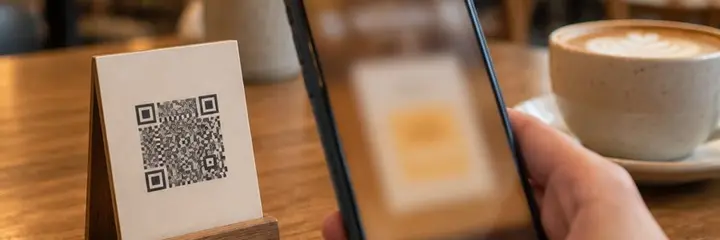
Sadakio's QR menu is a digital menu for cafés and restaurants. It opens on the guest's phone with photos and categories, with no app to install. You change prices from the panel, and the same QR also opens the loyalty card.
Everything a paper menu
cannot do
The QR menu is included in every Sadakio plan.
Photos and categories
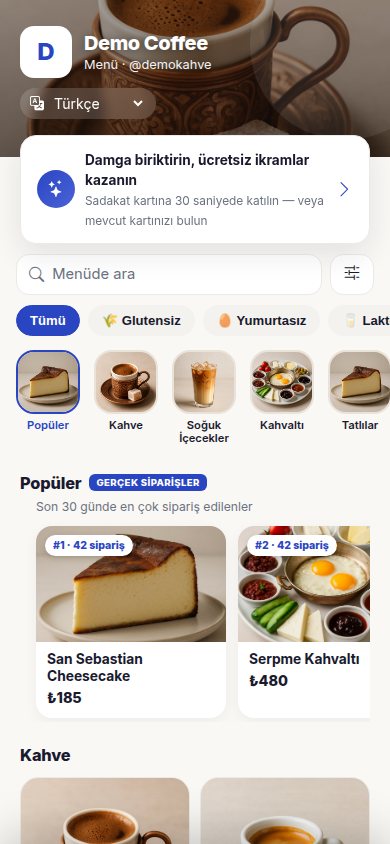
Add a photo to every item. Categories open with photo headers, and guests can search the menu. You choose the Popular section yourself, or it builds itself from the last 30 days of orders.
A menu in six languages
Turkish, English, Russian, German, Arabic and Ukrainian. The menu opens in the language of the guest's phone. You can correct the translation yourself wherever you like.
Import from a photo
Upload a photo of your paper menu. Kio reads the items and prices, and you check and save them. You do not have to type the menu from scratch.
Update prices from the panel
Changes to prices, items and categories show on the menu straight away. The QR code never changes. You hide a sold-out item with one tap.
The loyalty card from the same QR
From the area at the top of the menu, guests join the loyalty card or find their card. Every guest who opens the menu can become a card holder.
Allergens and options
Add allergens to items, and guests filter out what they cannot have. You set options such as size and milk with a price difference.
How does the QR menu work?
Add your menu
Upload a photo of your paper menu or enter the items by hand. Add the photos and prices.
Publish it
Publish the menu and the translation is prepared automatically. Put your QR code on the table or at the till.
Keep it current from the panel
Make price and item changes in the panel. Guests see the current menu every time they scan.
If you also want to take orders from the table, the same menu turns into the QR ordering screen.
Questions about the QR menu
How do I move my paper menu to a QR menu?
⌄
Upload a photo or PDF of your menu. Kio reads the items, categories and prices and prepares a draft. You check the draft and save it. Each page uses one Kio credit. You can also add items by hand.
Which languages does the QR menu open in?
⌄
The QR menu opens in Turkish, English, Russian, German, Arabic and Ukrainian. The menu opens in the language of the guest's phone, and the guest can also change the language from the menu. Arabic is shown right to left. You can correct the automatic translation on any line, and your correction is kept.
Do I have to reprint the QR code when a price changes?
⌄
No. The QR code stays the same. When you change a price, item or category in the panel, the menu updates straight away. You can hide a sold-out item from the menu with one tap and show it again later.
How does the QR menu work with the loyalty card?
⌄
The top of the menu has an area for joining the loyalty card. From the page where they read the menu, guests join the card in 30 seconds or find their existing card. No separate QR code is needed.
Can I add allergens and options?
⌄
Yes. You add allergen information to items, and guests filter the menu for items that do not contain them. You set option groups such as size or milk choice with a price difference. You can also add calories and weight in grams.
Can I use different prices at my branches?
⌄
Yes. The menu is shared across all branches, and each branch can have its own prices and its own QR code.
Related pages
Publish your QR menu
today
14 days free, +30 days after your first 20 stamps, no card needed.